
Home / Case Studies / Emigre Law Chambers
Case Study — Immigration & Legal ServicesImmigration Consultant CRM & Automation
Emigre Law Chambers runs an immigration practice where every enquiry is a person with a deadline — and where a missed follow-up is a lost case. We designed and integrated a full-options CRM and operations system that takes a lead from a Meta or Google ad through qualification, consultation, case work and documents, without anyone retyping it into a spreadsheet.
The problem with running a consultancy on inboxes
Immigration practices generate enquiries the same way e-commerce brands generate orders — in volume, from paid social and search, at all hours. What they rarely have is a system built to receive them. Leads land in a Meta form, a Google ad extension, a WhatsApp number and an inbox, and get copied by hand into whichever spreadsheet the team agreed on last quarter.
The cost shows up in three places: speed, because a lead that waits hours for a first reply has usually already spoken to someone else; continuity, because case documents, appointments and payment status live apart from the person they belong to; and visibility, because nobody can say which campaign actually produced signed clients rather than form fills.
The brief was to replace that with one system — and to make it something the team would genuinely use, not a licence the practice pays for and works around.
What we built
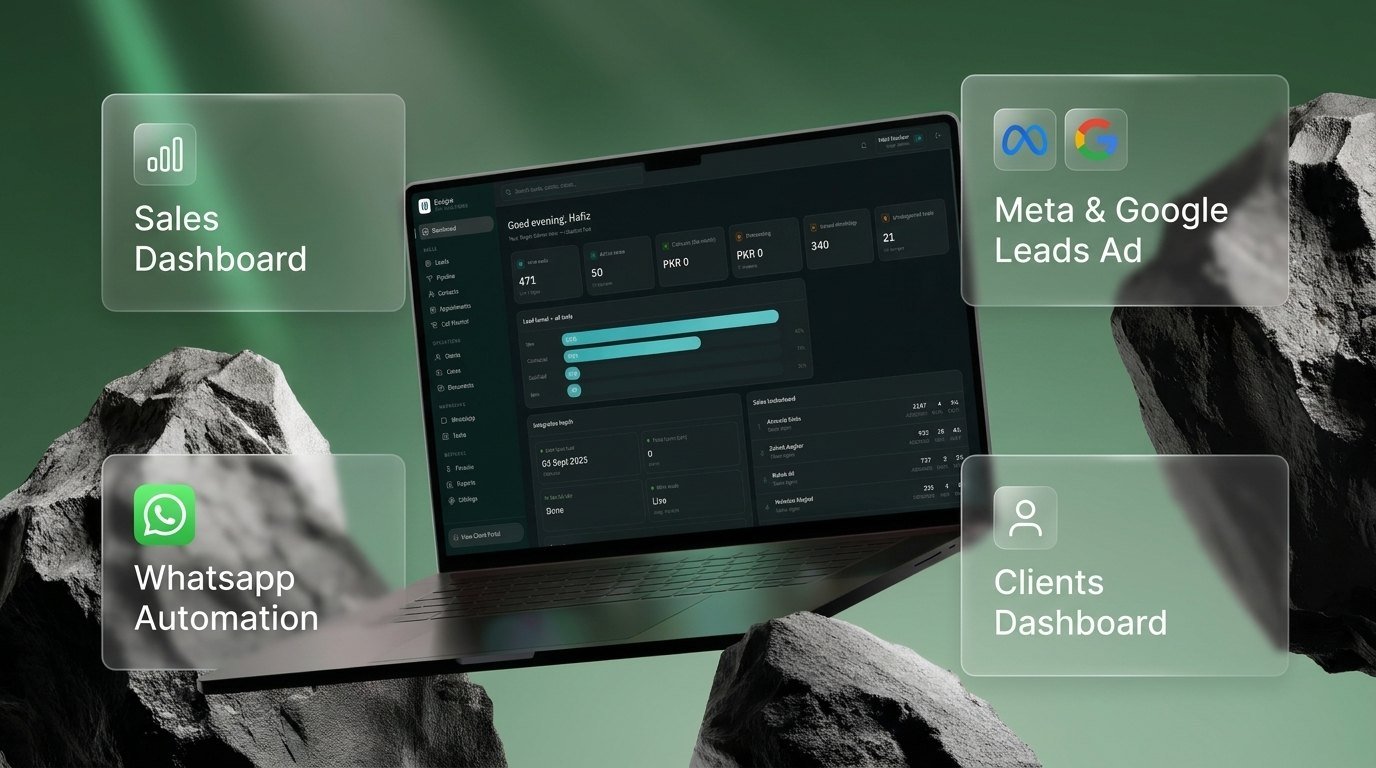
Four connected pillars, built as one platform rather than four tools stitched together with exports.
Lead-ad submissions from Facebook, Instagram and Google flow straight into the pipeline as structured records — source, campaign and form answers intact. No CSV exports, no manual re-entry, no leads sitting unseen in Ads Manager.
The channel immigration clients actually reply on. New enquiries get an immediate acknowledgement and qualifying questions, appointment reminders go out on schedule, and every message stays attached to the lead record instead of living on one consultant's phone.
One screen for the practice: live lead funnel by stage, consultant leaderboard, appointments booked, cases in progress and unassigned leads — so the bottleneck is visible on the day it forms, not at month end.
A portal where clients check their own case status, upload the documents their application needs and see what is outstanding — which removes a large share of the “any update?” calls the team used to field.
Inside the system
Full-options, meaning the practice's whole operation sits in one place rather than the sales half of it.
How a lead travels through it
Someone submits a Meta or Google lead form. The record is created in the CRM immediately, tagged with its campaign and source.
An automated first message goes out within seconds, acknowledges the enquiry and begins qualifying — while the prospect is still on their phone.
The lead is routed and assigned. Every call, note and message lands on the same record, so whoever handles it next has the full history.
The appointment is scheduled in the system and reminded automatically, cutting the no-shows that cost a consultancy its most expensive hour.
On conversion the lead opens a case with its own milestones, document checklist and fee record — carrying its history across rather than starting fresh.
They log into the portal, upload documents and track progress, which keeps the file moving without the back-and-forth.
Dashboards and reports close the loop from ad spend to signed client, so budget follows the campaigns that produce cases.
What changed
Before
- Leads exported from Ads Manager and retyped into spreadsheets
- First reply depended on who happened to be at a desk
- WhatsApp conversations lived on individual phones
- Case documents separated from the client they belonged to
- Clients phoned in for status updates
- No reliable line from ad spend to signed client
After
- Meta and Google leads arrive in the pipeline automatically, with source intact
- Every enquiry gets an automated WhatsApp reply within seconds
- Conversations, calls and notes sit on one shared record
- Documents attach to the case, uploaded by staff or client
- Clients check their own status in the portal
- Reporting runs from campaign through to case and fee
Running your practice on spreadsheets and a shared inbox?
Tell us how enquiries reach you today and we'll map what an equivalent system would look like for your firm.
Scope a CRM like this ↗